Two contacts, and nothing to learn twice.
A pad and a button, the menus behind them, and the pages a bench reaches for.
The pad moves, the button acts.
Two contacts, and the split between them is all there is to remember. The capacitive pad on the top edge walks the four pages, and can change nothing. The button on the side opens the menu of the page you are on, and every further press steps the row.
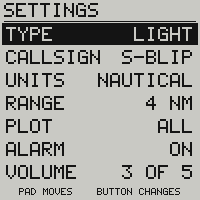
Two pages have a menu. Everything a thumb can set sits under the radar, the first screen a device is set up on. Nothing is a draft to confirm: each press is one finished change.
- A tap of the pad: the next page
- A touch of a second: the radar
- A press: the menu, where the page has one
- Presses after that: the row steps
- Past the last row: back to the picture
- A minute untouched: it comes back on its own
Your callsign, typed with two contacts.
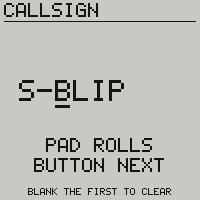
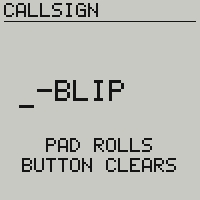
CALLSIGN is the one row that opens a field rather than stepping a value, and the two gestures swap over inside it: the pad rolls the character the bar is under, the button steps to the next one. The ring is a blank, a dash, A to Z, 0 to 9, and round to the blank again, so a thumb that goes past a letter comes back to it without a second gesture.
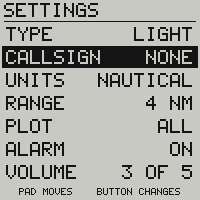
The button on the last character is what stores the name, and the blanks you left at the end are dropped. To remove a callsign, roll the first character back to a blank and press: the screen says BLANK THE FIRST TO CLEAR while the name is there, and BUTTON CLEARS once the blank is under the bar. Leave the field without finishing it, or let it sit for a minute, and nothing is stored at all.
Four pages on the walk, the rest by name.
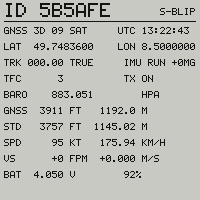
A tap moves from the radar to the list, the instruments, then the g-meter, and to nothing else: a pilot cycling the glass in flight should not land on the satellite bars. A board with no inertial sensor has no g-meter to draw, so the tap steps over it rather than showing NO SENSOR every fourth time.
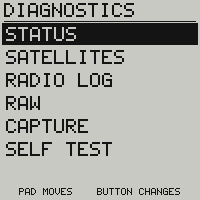
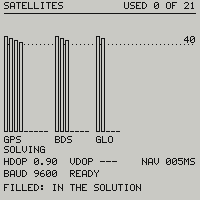
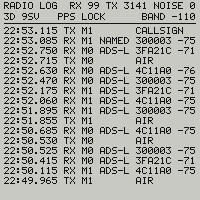
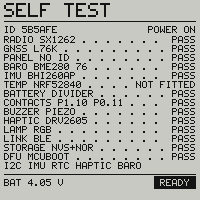
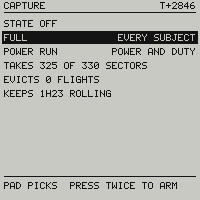
The rest opens by name, from the menu of the list, and hands you back the page you were on. The screens below are the bench’s, the apron’s and the bug report’s: none of them is a picture to land on with a thumb. The last of them records a flight for that report, every subject for a bug or only power and duty for a discharge run, and states what the one you pick costs the flash before you start it.
| Gesture | On a page | In a menu |
|---|---|---|
| Tap the pad | the next page, and on the capture page the next capture | the next row, and off the last row the page the menu belongs to |
| Touch the pad, 1 s | silences a standing alarm, and with none standing, brings back the radar | the radar |
| One press of the button | opens this page’s menu, or refuses a question on the glass | acts on the focused row, and every further press steps it again |
| Two presses, under 0.6 s apart | allow the question on the glass, start or stop a capture on the capture page, and mean nothing anywhere else | |
| Hold the button, 2 s | switches the device off | |
| The same hold, finger on the pad | switches it off and leaves the screen blank, for storage | |