See ADS-B traffic in your navigation app
skyBlip Bravo detects Mode S and ADS-B transponders. It sends ADS-B traffic over Bluetooth to a compatible navigation app such as SDVFR or SkyDemon. The MeshTracker X1 has no screen. In flight the device sounds and vibrates if traffic triggers an alert.
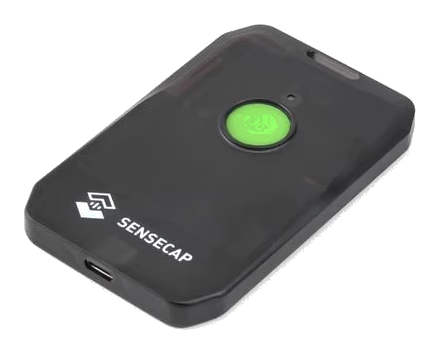
See aircraft you already fly alongside
Bravo sees newer aircraft fitted with ADS-B and older aircraft upgraded with a glass cockpit connected to an ADS-B transmitter or with a new ADS-B transponder. Near an airfield or airport, you also see airliners, business jets and helicopters that transmit ADS-B.
Bravo also detects Mode S transponders without ADS-B. They give no position. We’re collecting data from those detections to work out how best to report them on Go and in navigation apps. Bravo receives these signals directly on board at 1090 MHz, without a ground station. It doesn’t receive ADS-L or FLARM. It doesn’t transmit your position.
Bravo is an uncertified aid to visual lookout.
Add this traffic to Go’s radar
Already have a Go? Pair it with Bravo to make a Tango. Go shows ADS-B alongside ADS-L and FLARM on its radar. It keeps transmitting your position in ADS-L.
Looking for a MeshTracker X1?
Buy the hardware, then install the skyBlip Bravo software. The software that comes with the X1 doesn’t receive ADS-B.