Add ADS-B traffic to your Go’s radar
A Go and a Bravo make a Tango. Go transmits your position in ADS-L and shows ADS-L and FLARM traffic. Bravo detects Mode S and ADS-B transponders and sends ADS-B traffic to Go over Bluetooth. Go shows ADS-B traffic alongside ADS-L and FLARM traffic on the same radar.
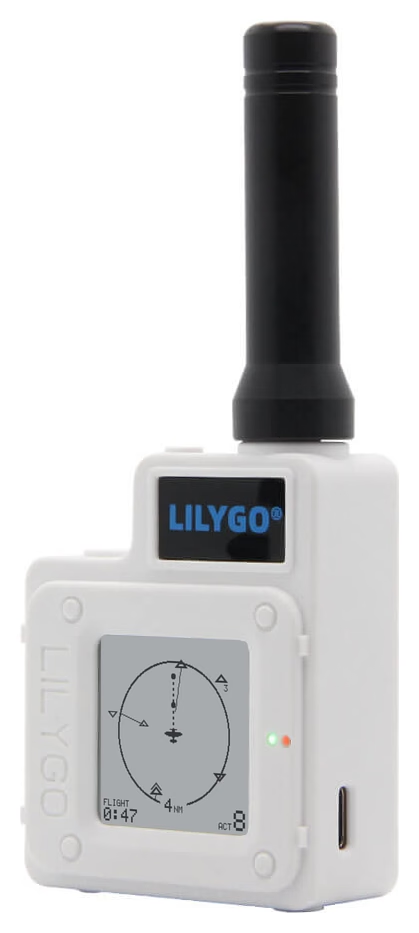
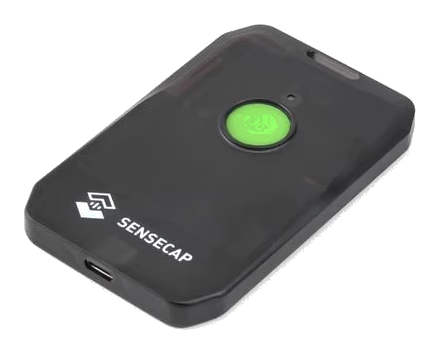
Shown to scale. X1 photo: Seeed Studio.
Three types of traffic on one radar
On the same screen, see the glider fitted with FLARM, the microlight transmitting ADS-L and the aeroplane transmitting ADS-B. It could be a newer aeroplane or an older one upgraded with a glass cockpit connected to an ADS-B transmitter or with a new ADS-B transponder. Near an airfield you also see airliners and business jets transmitting ADS-B.
Go still transmits your position in ADS-L only. Connect your navigation app to Go to see the combined traffic. Bravo uses one Bluetooth connection on Go. That leaves two for your devices.
The screen shows you where to look
When an alert triggers, part of Go’s screen flashes in the direction of the traffic. If Go loses its link to Bravo, it shows BRAVO / NO LINK at the top right of the radar. Go still shows ADS-L and FLARM traffic. Bravo still receives ADS-B traffic and alerts on its own. To silence an alert, use the device reporting it.
Tango is an uncertified aid to visual lookout. Keep looking outside, even when the screen is empty.
Tango or Tango+?
- Tango, with a Go and a Bravo: Go shows the alert. With sound on, Bravo sounds and vibrates.
- Tango+, with a Go+ and a Bravo: Go+ shows the alert. With sound on, both devices sound and vibrate for the same alert.
While the devices are linked, the ALARM setting on Go controls both. Press Bravo’s button or hold Go’s pad for one second to silence the alert on both devices.
Put together a Tango with two devices
You buy the devices separately. If you already have a Go or Go+, get a MeshTracker X1 for Bravo. If you have both, Briefing helps you pair them on the ground.
See where to buy the hardware · Install or pair your devices